Suomi.fi mandate: how to approve our request
We have sent you a Suomi.fi mandate request (valtuuspyyntö). Until somebody in your company logs in and approves it we cannot file anything for you, and in most cases nothing arrives to tell you it is waiting. Here is the whole job, step by step, in about five minutes.
What a mandate is, and what it is not
A Suomi.fi mandate (valtuutus) is an electronic power of attorney recorded in the national mandate register. When we sign in to a public e-service on your behalf, that service checks the register and lets us in only for the matters you named.
It is narrow on purpose:
- It reaches only the e-services listed for that mandate: for us, MyTax (OmaVero) and the Incomes Register (tulorekisteri).
- It is not a bank authorisation: no access to your online bank, no way to move money.
- It runs for a fixed period, and you can cancel it at any time.
The two mandates we ask for
Managing of tax affairs (Veroasioiden hoito). It lets us manage your tax affairs and see your tax information, and it is the one that opens MyTax (OmaVero). For a sole trader it covers personal and business tax affairs together, because the Tax Administration treats you as one taxpayer.
Watch the mandate next to it in the list, Filing of tax returns and other reports (Veroilmoittaminen). The name sounds right, but it does not include MyTax, so with that one we cannot see your tax account or your payments.
Reporting earnings payment data (Palkkatietojen ilmoittaminen). The Incomes Register mandate: it lets us submit and view your earnings payment reports and employer's separate reports. We ask for it only when we run your payroll.
Who may approve
Suomi.fi reads the Trade Register. In a limited company one person can approve alone if the register shows them as managing director, deputy managing director, or a signatory who may represent the company alone. The company can also give someone mandate rights in Suomi.fi. A sole trader approves for their own business ID.
If your company signs jointly, each of those people validates for their part; after the first, the others find it under Awaiting your validation (Odottaa vahvistustasi).
The steps
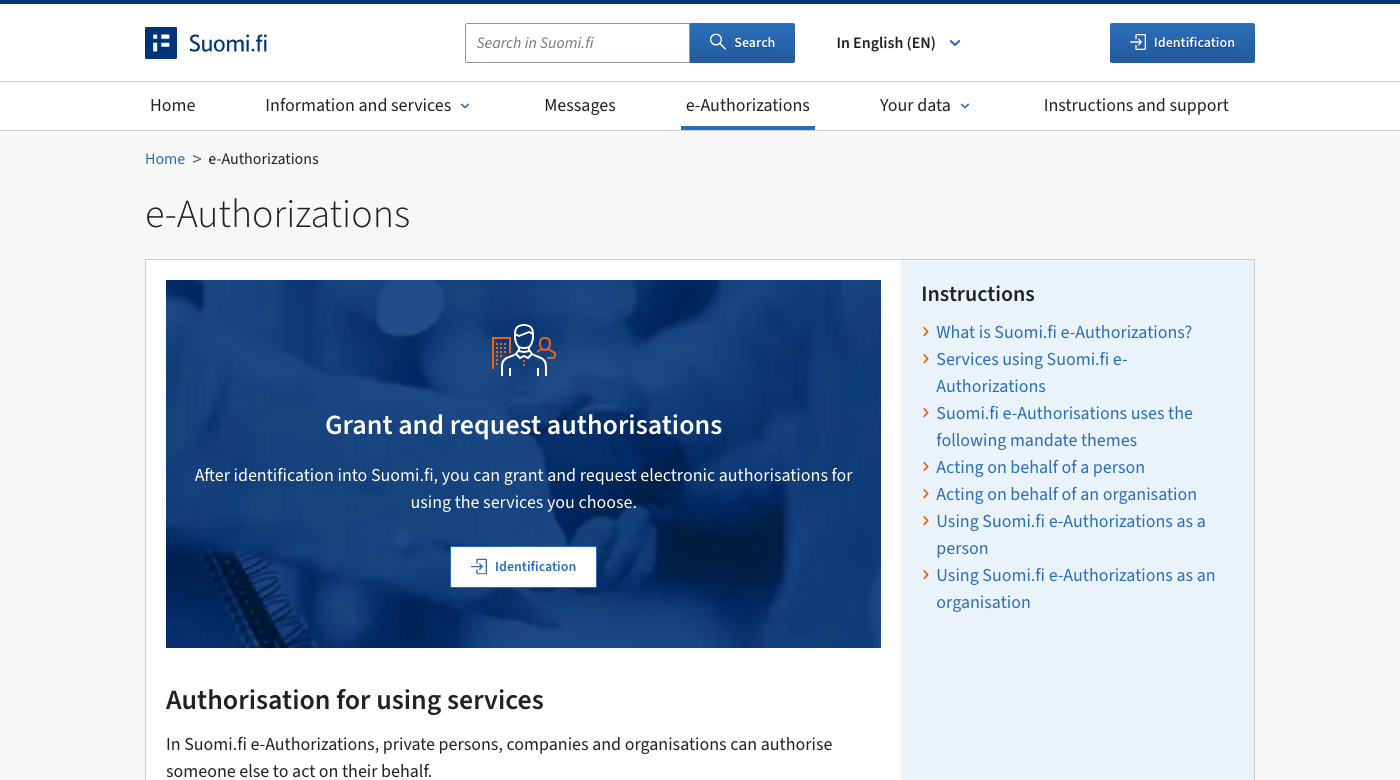
- Open suomi.fi/e-authorizations and click the identification button.
- Identify yourself with Finnish online banking codes, a mobile certificate, the hightrust.id app or a certificate card, always with your own personal credentials.
- On the Select your role screen choose Act on behalf of a company or organisation, then pick your company from the list.
- The page that opens is titled Company's mandates. Choose Received mandate requests (Vastaanotetut valtuuspyynnöt) from the menu on the left.
- Click Karma Accounts Oy in the list of requesters, and check the business ID reads 3651800-4.
- Read the mandate names, and remove anything you do not want to give.
- Check the period of validity and shorten it if you want.
- Validate the mandates.
The mandate is live the moment you validate it, and it immediately replaces any overlapping mandate you have given elsewhere, so tell us first if another bookkeeper still handles part of your taxes.
Nothing arrives by email
Suomi.fi does not email you about a mandate request. If you use Suomi.fi Messages (Suomi.fi-viestit), a notification goes there; if you do not, nothing arrives at all and the request just waits on the Received mandate requests page for up to six months. That is why we tell you every time we send one.
If you cannot log in yourself
There are two routes, both run by the Digital and Population Data Services Agency. A foreign representative can take the Finnish Authenticator app, for people aged 18 or over with no Finnish personal identity code or identification token: photograph your passport and yourself, and receive a foreigner's identifier. Otherwise there is authorisation with an application (hakemuksella valtuuttaminen), where an official registers the mandate for you, in about seven working days.
How long it lasts, and how to cancel
Everything you have given sits under Granted mandates (Annetut valtuudet); ended ones stay on the expired list for 15 months. A mandate can run up to 25 years, or three with a foreigner's identifier. To cancel, open Granted mandates, select the mandate and invalidate it. It takes effect at once and we are not notified, so please tell us. Nothing warns you before it expires, so we watch the end date and ask again in time.
What we do with it
We file your VAT returns and handle your tax matters in MyTax, and, when we run your payroll, we report your wages to the Incomes Register. Nothing else.
If something goes wrong
- You cannot find the request. Check you selected the company rather than yourself, and look under Granted mandates in case a colleague got there first.
- The wrong person logged in. The service offers the company only to someone whose role is in the Trade Register, so check who is registered.
- The request has expired. Requests vanish after six months; tell us and we send a new one.
- The business ID looks wrong. Do not approve it. Ours is 3651800-4, and if it shows anything else, send us a screenshot.
If you get stuck, message us and we will go through it on the phone while your screen is open. If you are not a client yet, book an introduction.
Sources
- Digital and Population Data Services Agency: Suomi.fi e-Authorizations
- Suomi.fi: Managing of tax affairs, mandate theme
- Suomi.fi: Filing of tax returns and other reports, mandate theme
- Suomi.fi: Reporting earnings payment data, mandate theme
- Tax Administration: how to grant a Suomi.fi authorisation for tax matters
- Suomi.fi: how an organisation grants an accounting firm a mandate for tax affairs and the Incomes Register
- Suomi.fi: approving a mandate request as an organisation
- Suomi.fi: how a limited liability company or a cooperative grants mandates
- Suomi.fi: acting on behalf of a Finnish company or self-employed person without a separate mandate
- Suomi.fi: how an organisation requests mandates
- Suomi.fi: where can I see the mandates I have granted or received
- Suomi.fi: how to invalidate an organisation's mandates
- Suomi.fi: Finnish identification tokens
- Suomi.fi: authorisation with an application
- Digital and Population Data Services Agency: Finnish Authenticator identification service
- Incomes Register: how an accounting firm is authorised, in Finnish
Please note: this is general information about Finnish rules, not advice for your own situation, and the rules change. Ask us before you act on it.
Want this off your desk?
We keep the bookkeeping current and file on time, and you get the amount before the due date.
Email usPlease don’t send bank credentials, personal identity codes or other sensitive data by email.